Overview
To create a custom mobile subdomain on 1and1 you'll need to create a new CNAME record. Follow the steps below.
Steps
- Go to 1and1.com and login to your account.
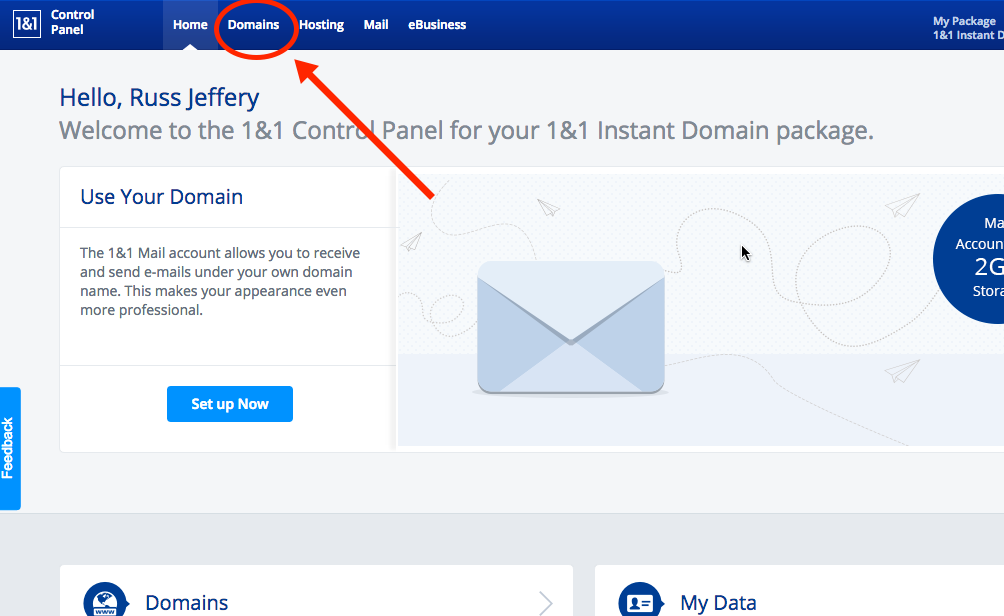
- In your account, click on the Domains tab.
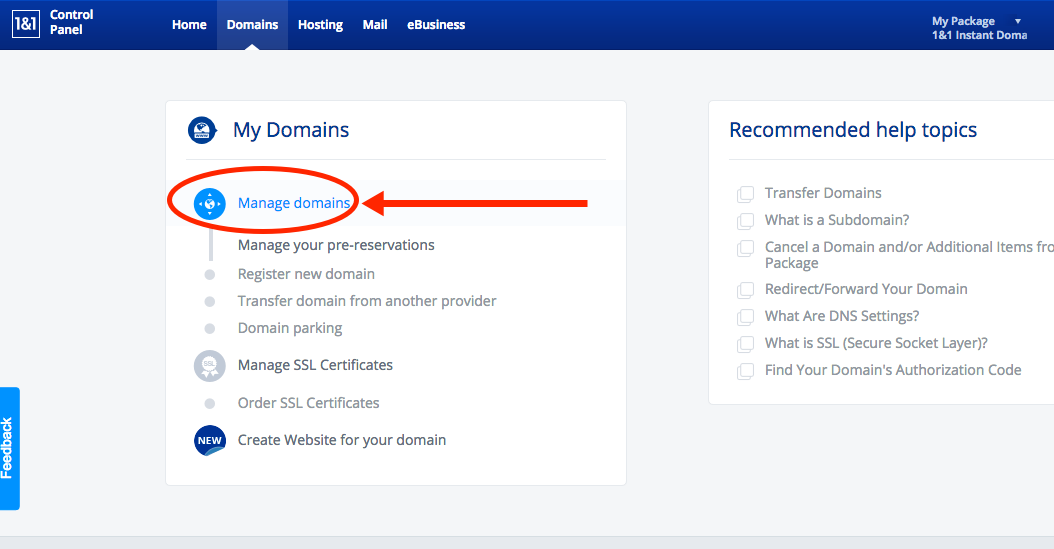
- Under "My Domain", click on Manage domains.
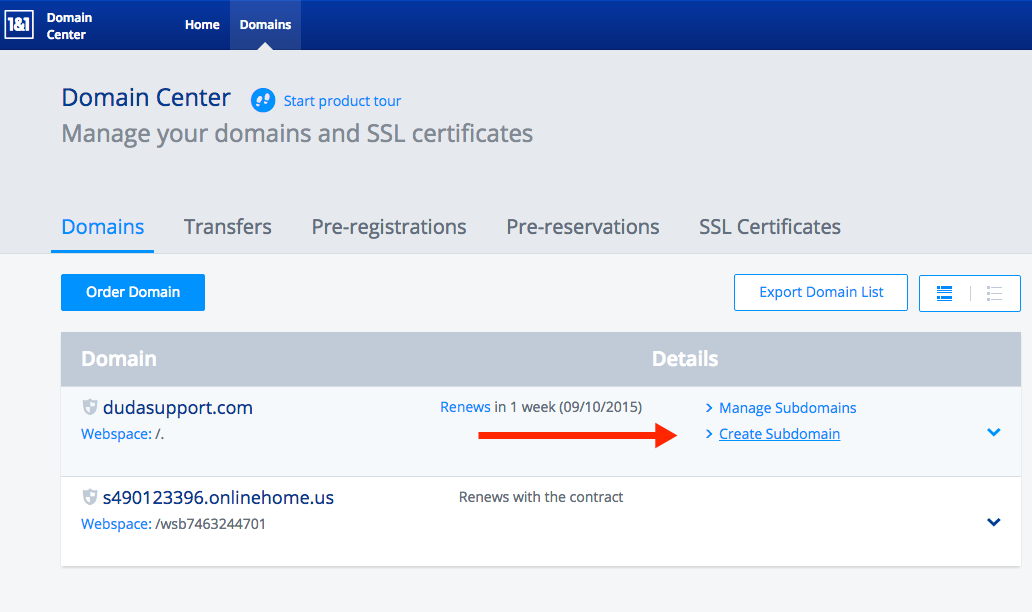
- Find your domain, then click Create Subdomain.
- In the "Create Subdomain" field, enter "m" (just the letter). Then click Create Subdomain.
Note: If you get an error stating "This subdomain is not available", it means that subdomain was created already and you can skip this step.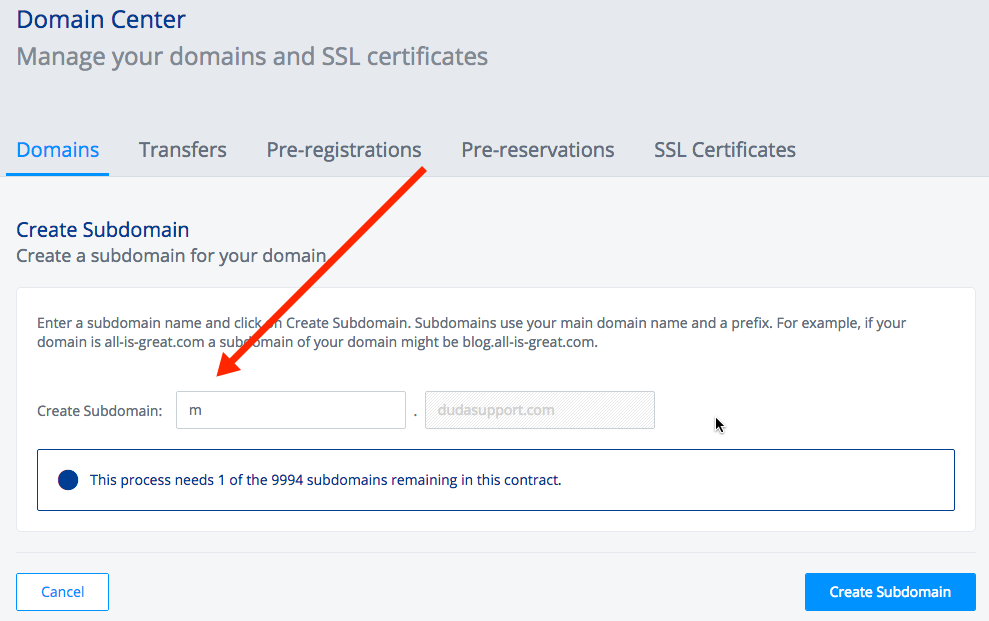
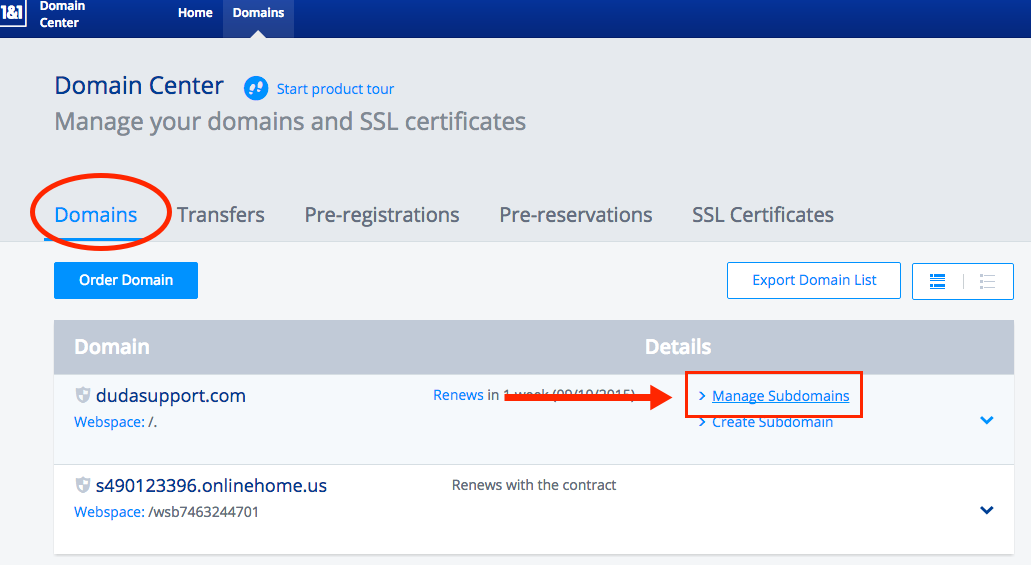
- Click on the Domains tab to go back to Domain Center, then click Manage Subdomains.
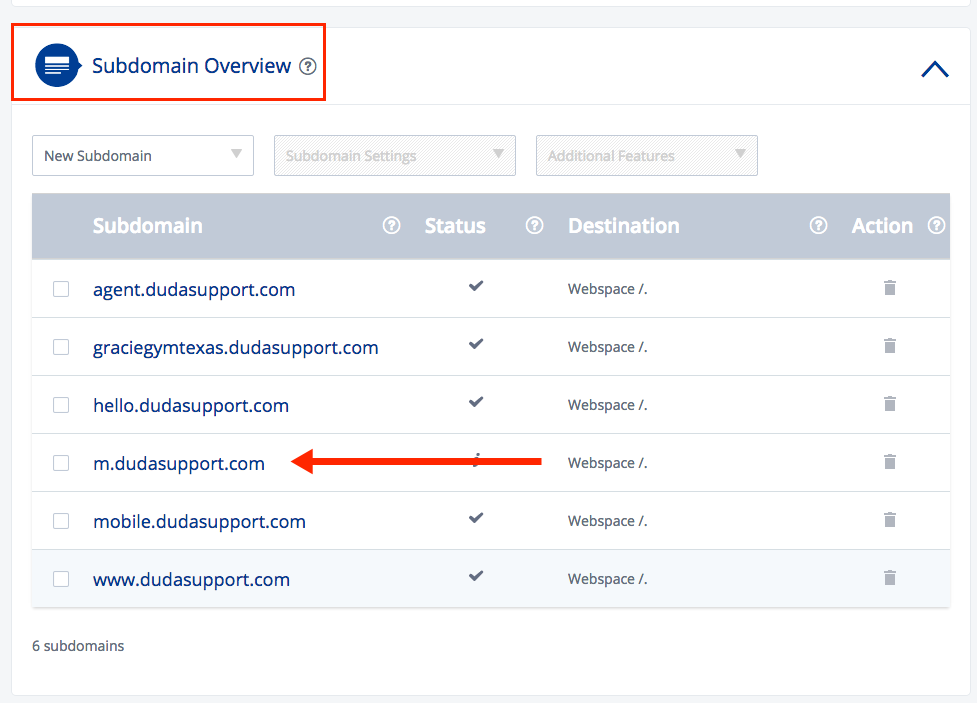
- Scroll down to Subdomain Overview, then find your mobile subdomain (m.yourdomainname.com) and click on it.
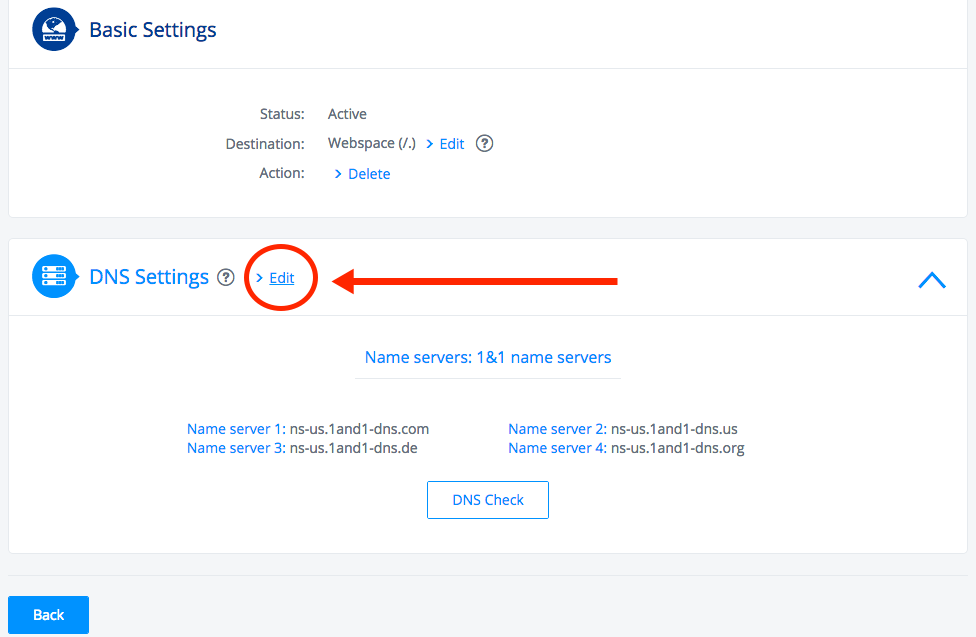
- Scroll down to the DNS Settings section and click on it to expand. Then click Edit.
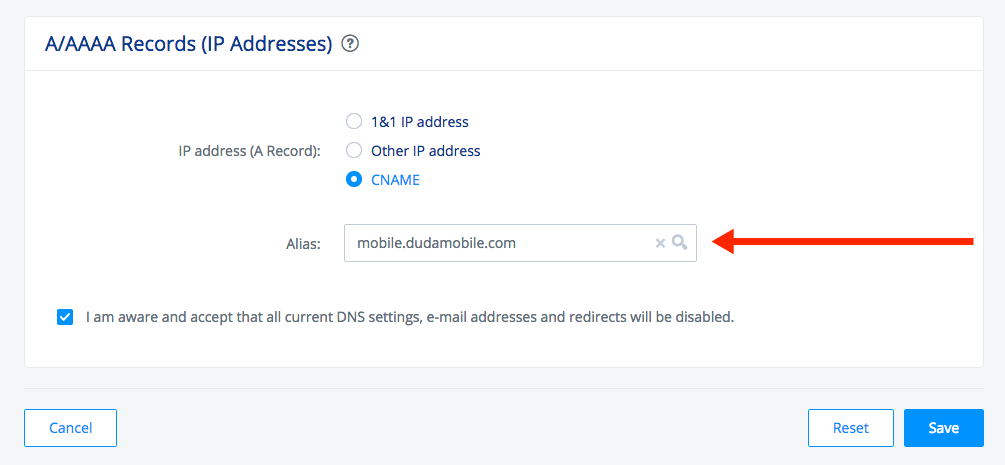
- In the next page, scroll down to A/AAAA Records (IP Addresses), then click CNAME.
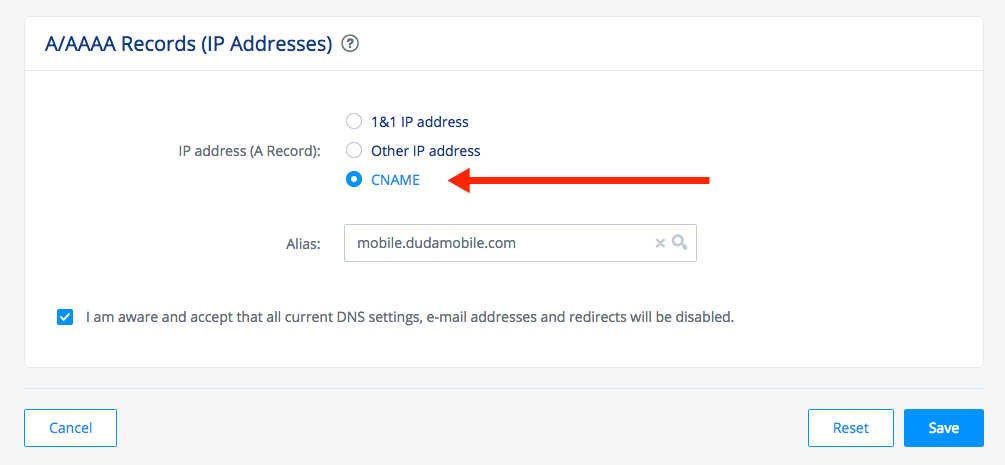
- In the Alias field, enter: mobile.dudasite.com
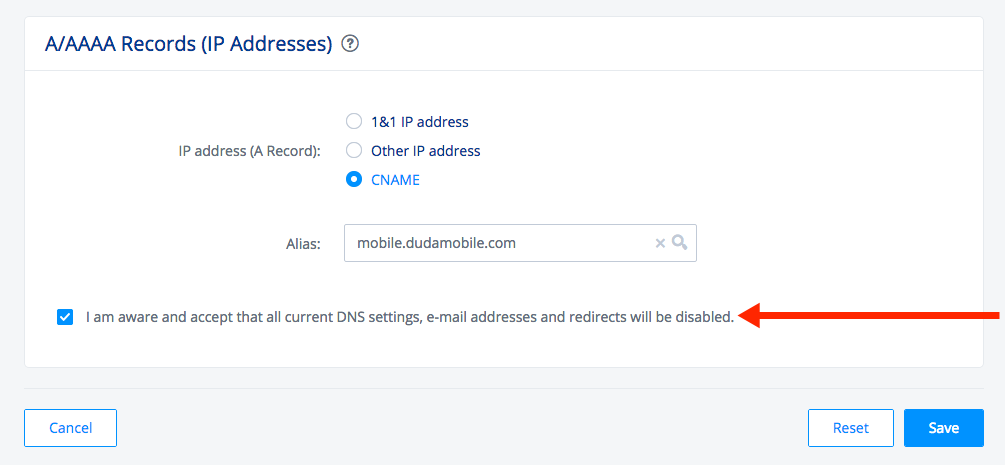
- Check the box that says "I am aware and accept that all current DNS settings, e-mail addresses and redirects will be disabled", then click Save.
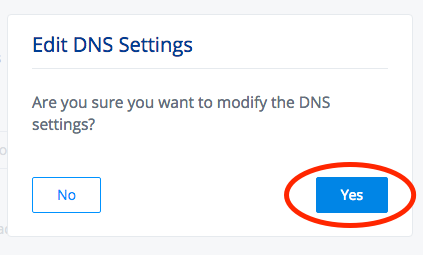
- Hit Save one more time when the box pops up, and you're done!
Other Resources:
You might be looking to set-up your automatic mobile redirection with your 1and1 site builder. Please view our instructions article on it here.
