
a couple of my pages arent working on mobile. when someone tries to look at page on mobile it says try again. When I am in duda mobile editing and click on page it wont even pull up and says its unable to load mobile site. My desktop site is working fine. Please help!!!!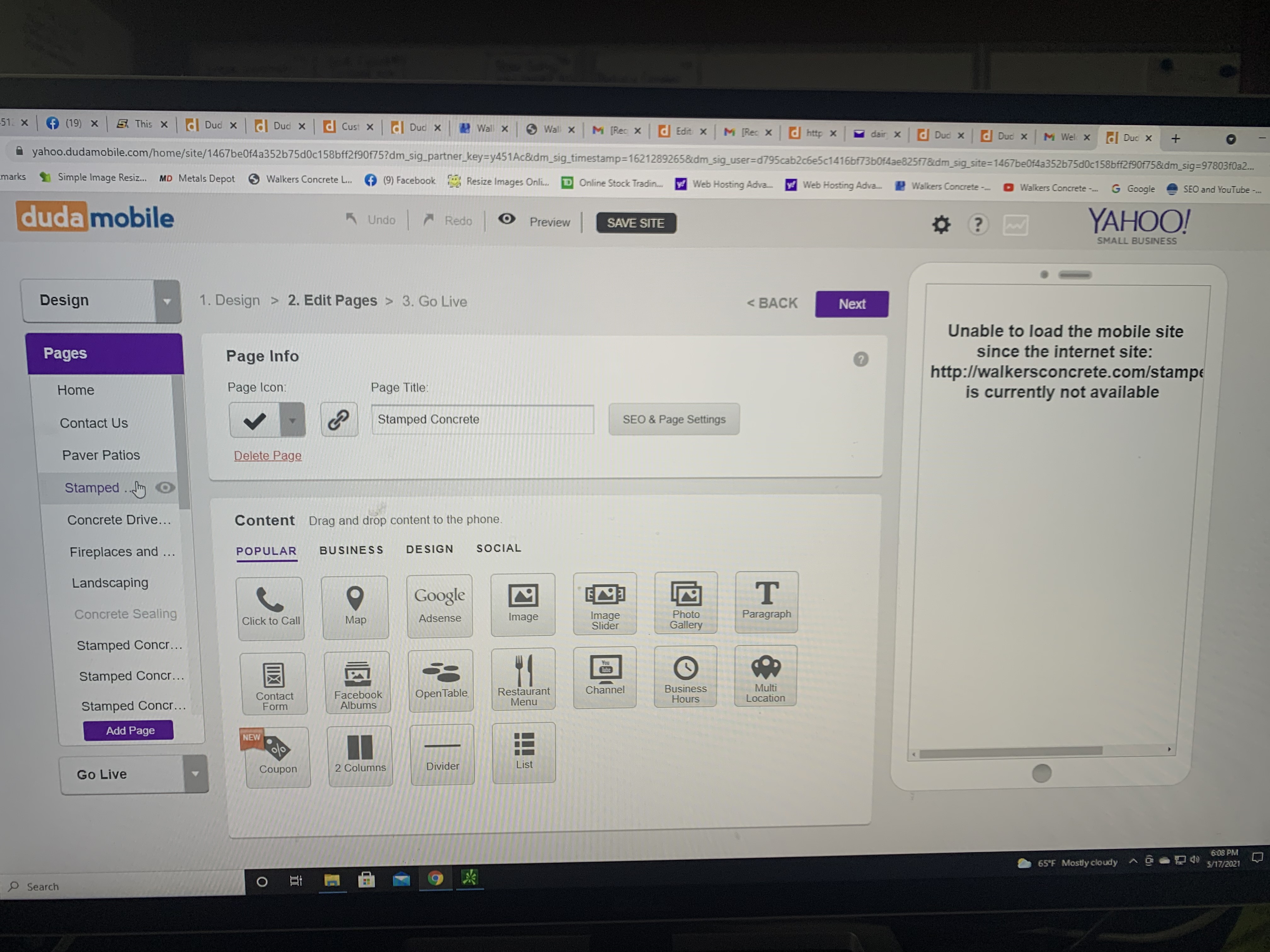
Date
Votes
1 comment
-

Paola Hi John,
Thanks for reaching out!
I took a look at your site and noticed that it is a site hosted on Yahoo's servers.
As this site is hosted in Yahoo, unfortunately, we don't have a way to look into the issue directly on our end. A brief explanation;
We have a partnership with Yahoo that allows them to use our software for creating mobile sites for their customers.
This allows them to have their own separate instance of the DudaMobile software and files that you see. As those files are hosted on Yahoo, we don't have the ability to access them at all. Because we don't have access to any of the files, we are unable to get enough information about the issue to resolve it. It's recommended that you contact the Yahoo site builder support team.
Occasionally, when you're editing your mobile site, our editor will get out of sync with the desktop site. This causes some of the edits you make to not save properly.
Before you start, I recommend always making a backup when creating changes to your website.
To fix this, it's necessary to perform a 'sync now'. This tells the editor to check back with the desktop site and pull itself back into sync (even if you have the page set not to sync, you'll want to follow these steps so your changes will save again). To do so:
- Make sure you are in the Duda editor.
- Select the page you're having the issue with from the Pages section list.
- Click on the SEO & Page Settings button
- Click on the 'Sync Page' link, next to the checkbox to "always sync with original site."
For your convenience, we have an illustrated tutorial to walk you through those steps here.
Go visit the page again and proceed to make your edits. They should now stay even after you reload the page.
If this happens to more than one page, you can sync the whole website in one go, too:
- Click on the cog wheel on the top right corner of the editor
- press
site settings - Turn
Always sync site with original websitetooff - Press
[sync now](http://screencast.com/t/ypkFBifSv).
If you have any questions regarding the above, let me know.
Regards,
Please sign in to leave a comment.
