0

Automatic Payment an error?

Hi

I have had a premier mobile only site

called  listinpanama.com

I lost that client and was going to cancel that site.

I did not know that I was on an automated payment for that One site.

I was just charged money automatically on paypal, and this is not a good time for me to have that happen.

(see details below)

If you can, please refund that payment to paypal

and I will delete the mobile site from my dashboard.

I already deleted the payment method from paypal. I do not know if that has just cancelled the auto payment 'method' or if it has cancelled last night's payment altogether. If I do not get charged in the next few days, I will delete that ONE ONLY mobile site form my dashboard.

thanks

____________

You paid with:  
PayPal balance
 
Payment to recipient $4.41 USD
Amount you'll pay $6.50 CAD
Exchange rate  $1.00 CAD  = $0.68 USD
PayPal makes money on converting currencies.
You paid with:  
 
 
Payment to recipient $81.99 USD
Amount you'll pay $120.84 CAD
Payment amount
$86.40 USD
Total amount of this transaction
$127.34 CAD


Profile ID: I-72R3VKRUJL8L
Payments from:  Dennis Oppelt
 dennisboppelt@gmail.com
Payments to:

Duda Inc.
support@duda.co

Payments for: Order #90525961 for DudaMobile Premium Mobile Website Premium Annual plan (28% discount)
Amount to be paid each time: $86.40 USD
Billing cycle: Yearly
Payments start: April 4, 2020
Payments stop after cycle: 1156
Payments will be made from: PayPal balance
 
Duda Inc. customer service
Website: https://www.duda.co
Email: support@duda.co
Phone: 855-982-1126
Want to make a change?
To change or cancel your agreement with Duda Inc., log in to your PayPal account, go to Profile, and click My money. Update your agreement in the "My preapproved payments" section.

5 comments

  • 0
    Avatar
    Paola

    Hi Dennis,


    It seems that payment on 4.4.20 was for site:

    dm_itemType  s
    dm_site  forumdestinations
    dm_site_id  4218804
    coming_from  pt.1stpublish
    language  ENGLISH


    Is this a site you need cancelled?

    If so:

    1. Go to your dashboard

    2. Locate the site you wish to downgrade

    3. Hover your mouse over the hamburger icon and click Payment Info.

    5. Click on "Downgrade my site" at the bottom of page

    6. Follow the directions on the next screen it takes you to

  • -1
    Avatar
    Yvonne Morris

    To who it may concern:

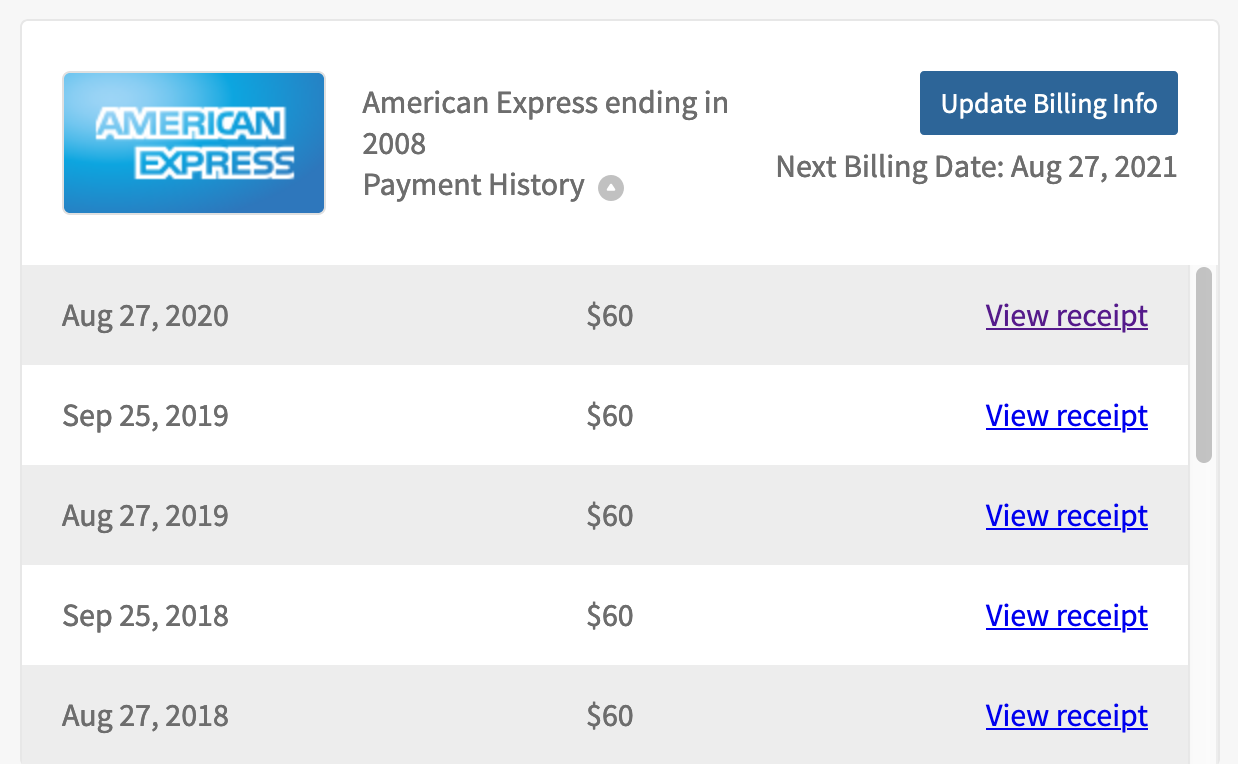
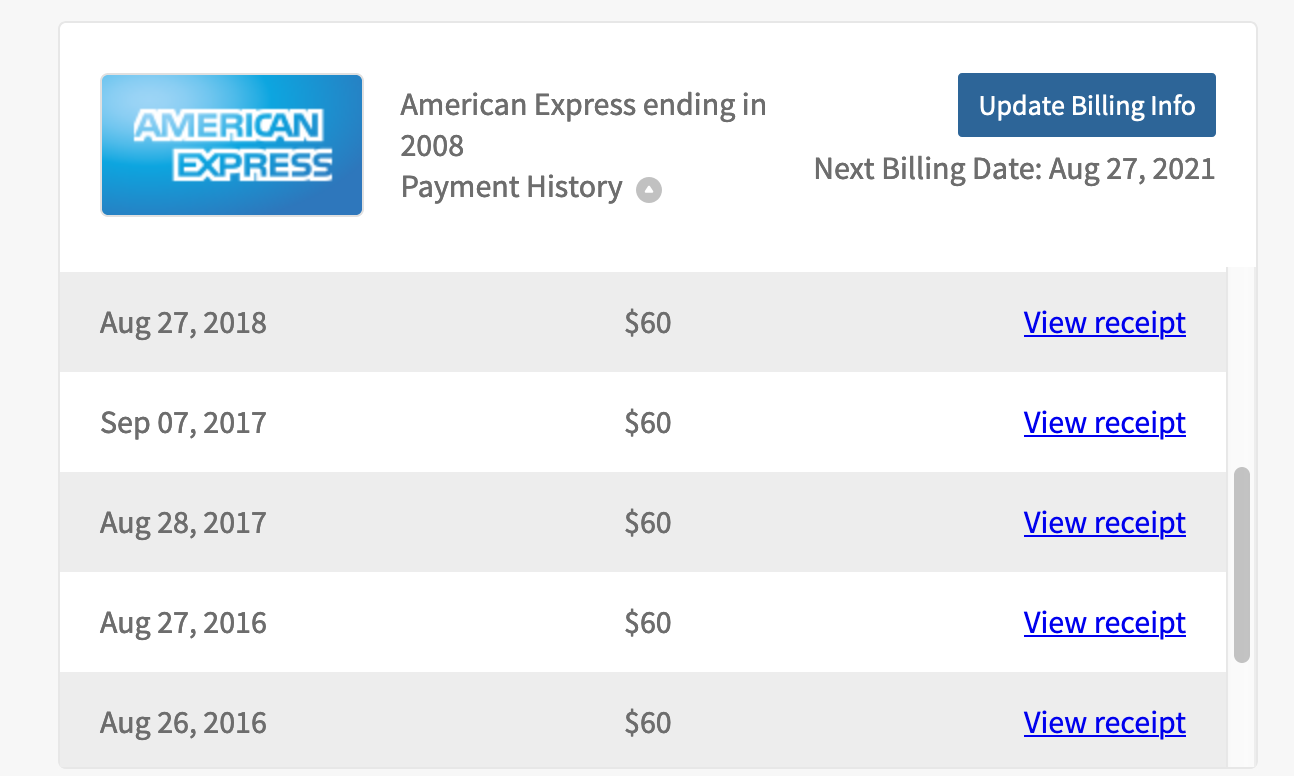
    In reviewing payment history, it appears that I have been overcharged for a Duda mobile site - Pilgrimmed

    1. In 2018 – August 27, 2018 charged twice; and Sept. 25, 2018 again for a 3rd time | over charged $120
    2. The site was UNPUBLISHED on Oct. 5, 2018
    3. Billed in Aug & Sept 2019 | $120
    4. Billed in Aug 2020 | $60

    Total amount due back in OVERCHARGES: $300.00

    Please credit my account for the overcharges immediately.

    SITE: Pilgrimmed


    Thank you,


    Yvonne Morris

  • 0
    Avatar
    Paola

    Hello Yvonne,


    I've answered you in ticket 1457747

    Please check the answer there,


  • 0
    Avatar
    Yvonne Morris

    Where can I view your answer in ticket 1457747?

  • 0
    Avatar
    Paola

    In your email, I just resent to bump it up again.

    or

    It’s required to login into our help center using your Duda account credentials, please do so herehttps://support.duda.co/hc/en-us


    Once you're signed in, there’s a “Help” floating button at the right bottom corner, click on it, then click on get in touch and request a call back. You’ll get our phone number as well as the option of getting a call back from one of our agents.

    Once “Request a callback” is clicked, the phone number will appear.


    From the help center home you can also click on "My Requests" on the top right corner to track your chats and ticket communications with the Duda support team.

Please sign in to leave a comment.